
Source Audio Soleman MIDI Foot Controller (미디컨트롤러)
품절
현재 재고가 없습니다.
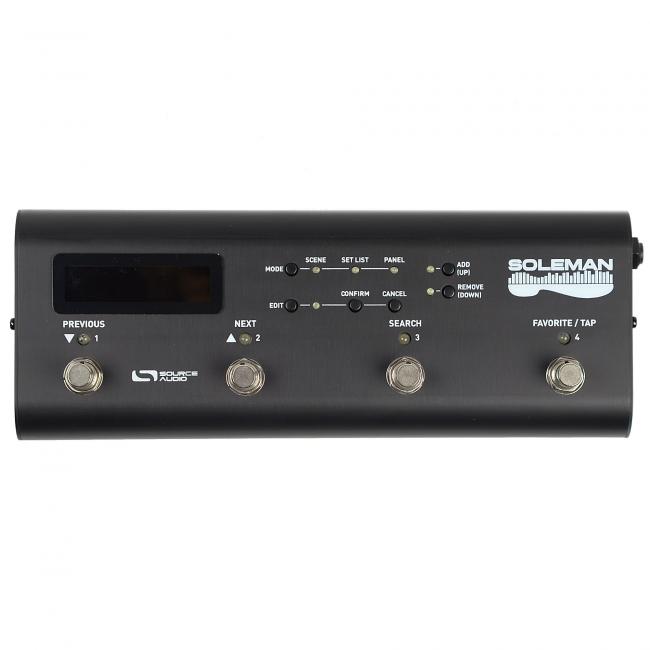
Source Audio Soleman MIDI 풋 컨트롤러는 기타/베이스 이펙터 시스템을 위한 전문 미디 컨트롤러입니다. 6개의 풋스위치와 2개의 익스프레션 페달 입력, MIDI In/Out, USB 포트를 갖춰 다양한 장비 제어를 지원합니다. Source Audio Neuro Hub와 연동 시 최대 12개의 One Series 페달을 제어할 수 있어 복잡한 라이브 셋업 관리에 유용하며, 탭 템포 및 USB를 통한 편집/업데이트 기능도 제공합니다.
- 이펙트 종류
- utility
- 회로 방식
- digital
- 노브 개수
- 0
- 풋스위치 개수
- 6
- 전원
- 9V_center_negative
- MIDI
- yes

OVERVIEW
USE MODES
Scene Mode—In Scene Mode, the Soleman steps through programs in sequential order and outputs Program Change messages, Note On messages, or Macros. Program Change messages are enabled by default. This is the simplest mode of operation and matches the functionality of most basic MIDI controllers.
This mode works very well with Source Audio’s Neuro Hub, as a way to recall Scenes. Scenes are basically a way of storing preset information for multiple effects pedals in the same system, with the benefit of being able to save and recall those presets all at the same time with a single program change message.
List Mode—List Mode is similar to Scene Mode in many ways: scenes can be selected using the Previous and Next footswitches, and each scene will output (by default) a corresponding MIDI Program Change message. The advantage of List Mode is that the user has control of the order of the Scenes. Users can create up to 64 custom Lists, each containing up to 90 Scenes.
Panel Mode—Panel Mode is the most powerful and flexible operating mode of the Soleman. In Panel mode, each footswitch is capable of sending a completely customizable MIDI message (or group of multiple MIDI messages) when it is activated as well as a different MIDI message (or group of multiple MIDI messages) when it is deactivated. This allows the user to create a control surface that is highly customized for their specific use case.
FEATURES & SPECIFICATIONS
- The Soleman is a versatile, highly configurable MIDI controller contained in a compact and durable housing. Use it to control any MIDI compatible hardware and software, or as the command center to your Source Audio Neuro Effects System.
- Four Footswitches—Use the footswitches to scroll through presets (ie “scenes”), launch individual MIDI messages, step through set lists, or trigger highly customizable MIDI macros. Configure footswitch functionality with any of the Soleman’s three useful control modes.
- Scene Mode—Scroll through all of the Soleman’s 128 Scenes in order with the onboard foot switches.
- List Mode—Arrange Scenes in any order and step through them in sequence. The Soleman stores up to 64 Lists, each containing up to 90 scenes.
- Panel Mode—Store up to 64 “Panels.” Within each panel, assign specific functions to each of the four footswitches like Program Change, Continuous Controller, and Note On/Off messages. Or assign multiple commands to a single footswitch with macro messages.
- Preset (“Scene”) Naming—Create custom names for individual scenes. Scene names are easily read on stage via the pedal’s high-contrast LCD display.
- Configuration Software—The Soleman is highly customizable, using the USB Editor Software that runs on Windows / Mac and connects to the Soleman via USB.
- Two MIDI Outputs—Connect to up to two external hardware MIDI devices directly to the SoleMan using the standard 5-pin DIN connectors.
- USB-MIDI Interface—Class-compliant USB drivers make the Soleman plug-and-play ready for Mac and Windows computers. The Soleman is a USB MIDI device that can be used in digital audio workstation (DAW) software or to control software synthesizers and virtual instruments. It is compatible with built-in drivers on all supported operating systems, so no additional driver installation is required.
- Expression Pedal—The expression input accepts a passive expression pedal and converts it to Continuous Controller (CC) MIDI messages on the MIDI outputs.
- Tap Tempo—Use the Tap Tempo switch to create on-the-fly MIDI clock messages, which can be simultaneously distributed to all connected pedals, rack systems and software.
- External Switch Port—Allows for an additional two-footswitch controller to make navigation more convenient.
- Anodized Aluminum Housing—Dimensions: L: 10.5 in./26.7cm x W: 3.75 in./9.5cm x H: 2.75 in./7cm (including knobs) Weight: 2.2 lb./1 kg.
- Includes 9v DC power supply—300mA / Negative tip / Pedal draws 80mA.
상품후기 (1)
1개의 리뷰
상품문의
등록된 문의가 없습니다
궁금한 점이 있으시면 문의해 주세요.
배송안내
FREEBUD SHIPPING SERVICE
배송도 프리버드의 서비스입니다.
주문부터 검수, 포장, 출고까지 프리버드가
직접 관리하고 안전하게 전달드립니다.
25,000원 이상 무료배송
(도서산간 지역 제외)
평일 15시 이전 당일 출고
(결제완료 기준)
검수 후 안전 포장
꼼꼼한 검수와 안전한 포장
불량·오배송 무료 교환,반품
단순 변심 왕복 6,000원
RETURN SERVICE
교환,반품 안내
상품에 이상이 있거나 배송 중 파손·오배송된 경우 왕복 배송비 없이 무료로 교환, 반품해 드립니다.
단순 변심은 미사용·미개봉 상태에서 수령 후 7일 이내, 왕복 배송비 6,000원으로 가능합니다.
무료 교환,반품이 가능한 경우
- •제품 초기 불량 / 제품 하자가 발견될 경우
- •배송 중 제품이 파손될 경우
- •오배송으로 다른 제품이 배송될 경우
*제품 수령 후 7일 이내 신청 시
교환,반품이 불가능한 경우
- •제품 사용 및 설치 흔적이 있는 경우
- •박스 개봉 흔적으로 신품으로 재판매하지 못할 경우
- •제품 구성품 (부속품)이 누락 될 경우
- •고객 부주의로 인해 파손됐을 경우
- •악의적 의도로 반복,대량 구매가 확인될 경우
*제품 가치가 훼손된 경우
상품 반품 및 환불 안내
고객 변심 및 주문 실수로 인한 상품의 교환,환불을 원하실 경우 고객센터 문의 게시판이나 프리버드 상담전화 1600-5150으로 요청 주시길 바랍니다. 반품교환 신청은 상품 수령 후 7일 이내 이루어져야 교환,환불이 가능합니다.
A/S 안내
제품의 불량 원인이나 사용기간에 따라서 유무상 서비스가 가능합니다.
사용자의 과실 및 사용상의 부주의로 인한 A/S는 상태에 따라 유/무상으로 서비스 됩니다.
A/S 기간은 구입일로부터 1년 이내이며 이후에도 특별한 약정 없이도 프리버드에서 서비스 해드립니다.
DELIVERY PROCESS
주문부터 배송까지
프리버드가 확실하게 검수하고 안전하게 보내드립니다.
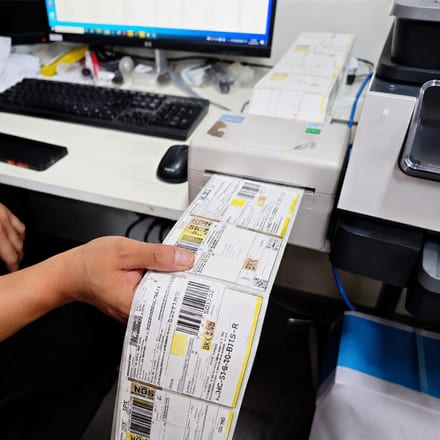
주문 확인
주문이 접수되면 주문내역을 확인후 결제 및 주소 등을 정확하게 검토합니다.
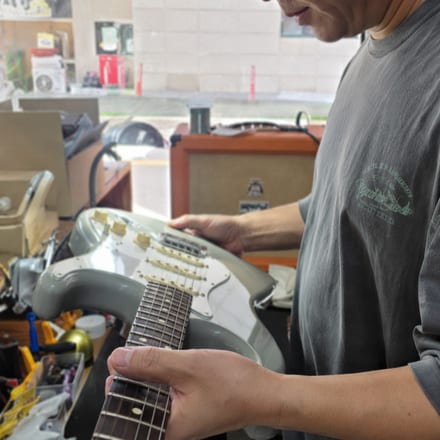
상품 검수
전문 담당자가 상품의 외관, 기능, 컨디션 등 꼼꼼하게 검수하여 이상이 없는지 확인합니다.
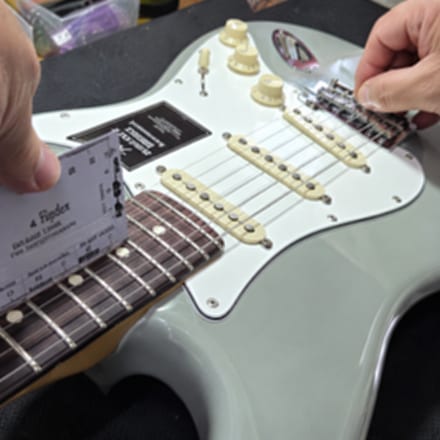
세심한 완벽 세팅
바로 연주할 수 있도록 전문 담당자가 튜닝, 줄높이(넥조정), 픽업 밸런스 등 전체적인 세팅을 합니다.
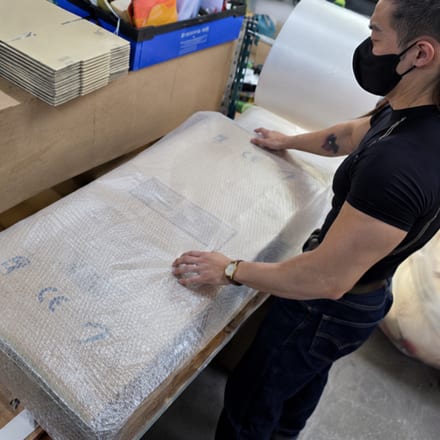
안전한 포장
전용 포장재 및 완충재, 배송 박스를 통해 파손의 위험 가능성을 줄여주어 안전하게 포장합니다.

빠르고 안전한 배송
믿을 수 있는 택배사를 통해 빠르고 안전하게 고객님께 전달되며, 배송완료까지 꼼꼼하게 관리됩니다.
상품 수령시 꼭 확인해주세요
안전하고 만족스러운 쇼핑을 위해 아래 사항을 확인해주세요.
상품 확인
주문하신 상품 수령 후 상품내역을 확인후 상품의 외관과 구성품 등 꼼꼼히 확인해주세요
박스 보관
상품의 교환 및 반품 시 상품 박스 및 포장 박스가 필요할 수 있으므로 바로 버리지 마세요
이상 여부
제품에 이상이 있을 경우 프리버드 고객센터로 연락주시면 안내해 드리겠습니다.
배송비: 무료 (25,000원 이상)
배송 기간: 결제 확인 후 1~3일 이내
배송 업체: CJ대한통운, 롯데택배
도서산간 지역은 추가 배송비가 발생할 수 있습니다.
교환 및 반품안내
교환/반품 기간: 수령 후 7일 이내
교환/반품 배송비: 고객 변심 왕복 6,000원
불량 제품: 무료 교환/반품 가능
* 미사용/미개봉 상태에서만 교환/반품 가능합니다.
최근 본 상품
Source Audio Soleman MIDI Foot Controller (미디컨트롤러)
품절
현재 재고가 없습니다.
- 최대 12개 페달 통합 제어
- 6개 풋스위치 2개 익스프레션
- 탭 템포 USB 편집 지원
Source Audio Soleman MIDI 풋 컨트롤러는 기타/베이스 이펙터 시스템을 위한 전문 미디 컨트롤러입니다. 6개의 풋스위치와 2개의 익스프레션 페달 입력, MIDI In/Out, USB 포트를 갖춰 다양한 장비 제어를 지원합니다. Source Audio Neuro Hub와 연동 시 최대 12개의 One Series 페달을 제어할 수 있어 복잡한 라이브 셋업 관리에 유용하며, 탭 템포 및 USB를 통한 편집/업데이트 기능도 제공합니다.
- 이펙트 종류
- utility
- 회로 방식
- digital
- 노브 개수
- 0
- 풋스위치 개수
- 6
- 전원
- 9V_center_negative
- MIDI
- yes
OVERVIEW
USE MODES
Scene Mode—In Scene Mode, the Soleman steps through programs in sequential order and outputs Program Change messages, Note On messages, or Macros. Program Change messages are enabled by default. This is the simplest mode of operation and matches the functionality of most basic MIDI controllers.
This mode works very well with Source Audio’s Neuro Hub, as a way to recall Scenes. Scenes are basically a way of storing preset information for multiple effects pedals in the same system, with the benefit of being able to save and recall those presets all at the same time with a single program change message.
List Mode—List Mode is similar to Scene Mode in many ways: scenes can be selected using the Previous and Next footswitches, and each scene will output (by default) a corresponding MIDI Program Change message. The advantage of List Mode is that the user has control of the order of the Scenes. Users can create up to 64 custom Lists, each containing up to 90 Scenes.
Panel Mode—Panel Mode is the most powerful and flexible operating mode of the Soleman. In Panel mode, each footswitch is capable of sending a completely customizable MIDI message (or group of multiple MIDI messages) when it is activated as well as a different MIDI message (or group of multiple MIDI messages) when it is deactivated. This allows the user to create a control surface that is highly customized for their specific use case.
FEATURES & SPECIFICATIONS
- The Soleman is a versatile, highly configurable MIDI controller contained in a compact and durable housing. Use it to control any MIDI compatible hardware and software, or as the command center to your Source Audio Neuro Effects System.
- Four Footswitches—Use the footswitches to scroll through presets (ie “scenes”), launch individual MIDI messages, step through set lists, or trigger highly customizable MIDI macros. Configure footswitch functionality with any of the Soleman’s three useful control modes.
- Scene Mode—Scroll through all of the Soleman’s 128 Scenes in order with the onboard foot switches.
- List Mode—Arrange Scenes in any order and step through them in sequence. The Soleman stores up to 64 Lists, each containing up to 90 scenes.
- Panel Mode—Store up to 64 “Panels.” Within each panel, assign specific functions to each of the four footswitches like Program Change, Continuous Controller, and Note On/Off messages. Or assign multiple commands to a single footswitch with macro messages.
- Preset (“Scene”) Naming—Create custom names for individual scenes. Scene names are easily read on stage via the pedal’s high-contrast LCD display.
- Configuration Software—The Soleman is highly customizable, using the USB Editor Software that runs on Windows / Mac and connects to the Soleman via USB.
- Two MIDI Outputs—Connect to up to two external hardware MIDI devices directly to the SoleMan using the standard 5-pin DIN connectors.
- USB-MIDI Interface—Class-compliant USB drivers make the Soleman plug-and-play ready for Mac and Windows computers. The Soleman is a USB MIDI device that can be used in digital audio workstation (DAW) software or to control software synthesizers and virtual instruments. It is compatible with built-in drivers on all supported operating systems, so no additional driver installation is required.
- Expression Pedal—The expression input accepts a passive expression pedal and converts it to Continuous Controller (CC) MIDI messages on the MIDI outputs.
- Tap Tempo—Use the Tap Tempo switch to create on-the-fly MIDI clock messages, which can be simultaneously distributed to all connected pedals, rack systems and software.
- External Switch Port—Allows for an additional two-footswitch controller to make navigation more convenient.
- Anodized Aluminum Housing—Dimensions: L: 10.5 in./26.7cm x W: 3.75 in./9.5cm x H: 2.75 in./7cm (including knobs) Weight: 2.2 lb./1 kg.
- Includes 9v DC power supply—300mA / Negative tip / Pedal draws 80mA.
상품후기 (1)
1개의 리뷰
상품문의
등록된 문의가 없습니다
궁금한 점이 있으시면 문의해 주세요.
배송안내
FREEBUD SHIPPING SERVICE
배송도 프리버드의 서비스입니다.
주문부터 검수, 포장, 출고까지 프리버드가
직접 관리하고 안전하게 전달드립니다.
25,000원 이상 무료배송
(도서산간 지역 제외)
평일 15시 이전 당일 출고
(결제완료 기준)
검수 후 안전 포장
꼼꼼한 검수와 안전한 포장
불량·오배송 무료 교환,반품
단순 변심 왕복 6,000원
RETURN SERVICE
교환,반품 안내
상품에 이상이 있거나 배송 중 파손·오배송된 경우 왕복 배송비 없이 무료로 교환, 반품해 드립니다.
단순 변심은 미사용·미개봉 상태에서 수령 후 7일 이내, 왕복 배송비 6,000원으로 가능합니다.
무료 교환,반품이 가능한 경우
- •제품 초기 불량 / 제품 하자가 발견될 경우
- •배송 중 제품이 파손될 경우
- •오배송으로 다른 제품이 배송될 경우
*제품 수령 후 7일 이내 신청 시
교환,반품이 불가능한 경우
- •제품 사용 및 설치 흔적이 있는 경우
- •박스 개봉 흔적으로 신품으로 재판매하지 못할 경우
- •제품 구성품 (부속품)이 누락 될 경우
- •고객 부주의로 인해 파손됐을 경우
- •악의적 의도로 반복,대량 구매가 확인될 경우
*제품 가치가 훼손된 경우
상품 반품 및 환불 안내
고객 변심 및 주문 실수로 인한 상품의 교환,환불을 원하실 경우 고객센터 문의 게시판이나 프리버드 상담전화 1600-5150으로 요청 주시길 바랍니다. 반품교환 신청은 상품 수령 후 7일 이내 이루어져야 교환,환불이 가능합니다.
A/S 안내
제품의 불량 원인이나 사용기간에 따라서 유무상 서비스가 가능합니다.
사용자의 과실 및 사용상의 부주의로 인한 A/S는 상태에 따라 유/무상으로 서비스 됩니다.
A/S 기간은 구입일로부터 1년 이내이며 이후에도 특별한 약정 없이도 프리버드에서 서비스 해드립니다.
DELIVERY PROCESS
주문부터 배송까지
프리버드가 확실하게 검수하고 안전하게 보내드립니다.
주문 확인
주문이 접수되면 주문내역을 확인후 결제 및 주소 등을 정확하게 검토합니다.
상품 검수
전문 담당자가 상품의 외관, 기능, 컨디션 등 꼼꼼하게 검수하여 이상이 없는지 확인합니다.
세심한 완벽 세팅
바로 연주할 수 있도록 전문 담당자가 튜닝, 줄높이(넥조정), 픽업 밸런스 등 전체적인 세팅을 합니다.
안전한 포장
전용 포장재 및 완충재, 배송 박스를 통해 파손의 위험 가능성을 줄여주어 안전하게 포장합니다.
빠르고 안전한 배송
믿을 수 있는 택배사를 통해 빠르고 안전하게 고객님께 전달되며, 배송완료까지 꼼꼼하게 관리됩니다.
상품 수령시 꼭 확인해주세요
안전하고 만족스러운 쇼핑을 위해 아래 사항을 확인해주세요.
상품 확인
주문하신 상품 수령 후 상품내역을 확인후 상품의 외관과 구성품 등 꼼꼼히 확인해주세요
박스 보관
상품의 교환 및 반품 시 상품 박스 및 포장 박스가 필요할 수 있으므로 바로 버리지 마세요
이상 여부
제품에 이상이 있을 경우 프리버드 고객센터로 연락주시면 안내해 드리겠습니다.
배송비: 무료 (25,000원 이상 주문 시)
배송 기간: 결제 확인 후 1~3일 이내 (주말/공휴일 제외)
배송 업체: CJ대한통운, 롯데택배
도서산간 지역은 추가 배송비가 발생할 수 있습니다.
교환 및 반품안내
교환/반품 기간: 수령 후 7일 이내
교환/반품 배송비: 무료 (프리버드 부담) · 오픈마켓 구매 건은 해당 몰 정책
불량 제품: 배송비 무료로 교환/반품 가능
* 상품 수령 후 7일 이내, 미사용/미개봉 상태에서만 교환/반품이 가능합니다.
* 고객 부주의로 인한 파손, 사용 흔적이 있는 경우 교환/반품이 불가합니다.
최근 본 상품
Source Audio Soleman MIDI Foot Controller (미디컨트롤러)
359,940원